
Halftone 42 no subscription!
EN
Try it free
Dots the way!

DTF halftones: turn any image into a print made of dots.

Halftone 42 turns photos and graphics into print-ready files with dots, lines or grain – for DTF, screen printing and digital printing on textiles. Knock out the garment colour, add a vintage look, preview mockups at actual size and fill your DTF film with a tightly packed gang sheet. For Windows and Mac.

Try free for 28 days for Windows and Mac · no account · no cloud
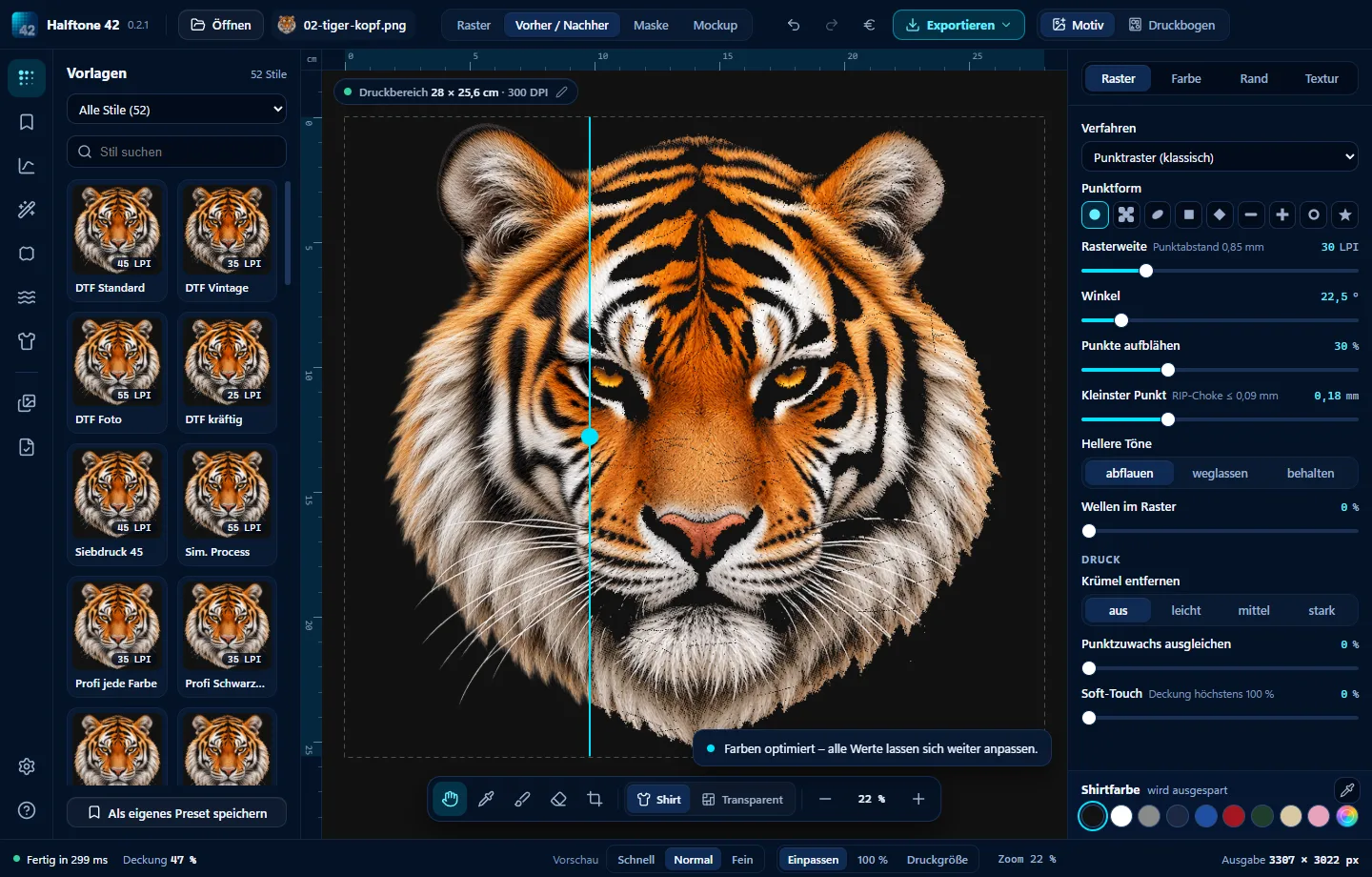
Halftone 42 with a tiger head: original on the left, the same tiger in halftone dots on the right, a Before / After slider and halftone screen settings on the right AI-generated design

From image to print file. In four steps.

  1. 1 · Open an imageDrag a PNG, JPG, TIFF, PSD, WEBP, HEIC or SVG into the window.
  2. 2 · Choose a style52 styles previewed on your own image: DTF, screen printing, vintage, pop art, lines and grain.
  3. 3 · Print SizeEnter the width in cm. Screen ruling and minimum dot size apply to the actual print.
  4. 4 · ExportTransparent PNG at 300 DPI with sRGB, or PDF – just as printers and RIP software need it.

52 styles. Preview every one on your image.

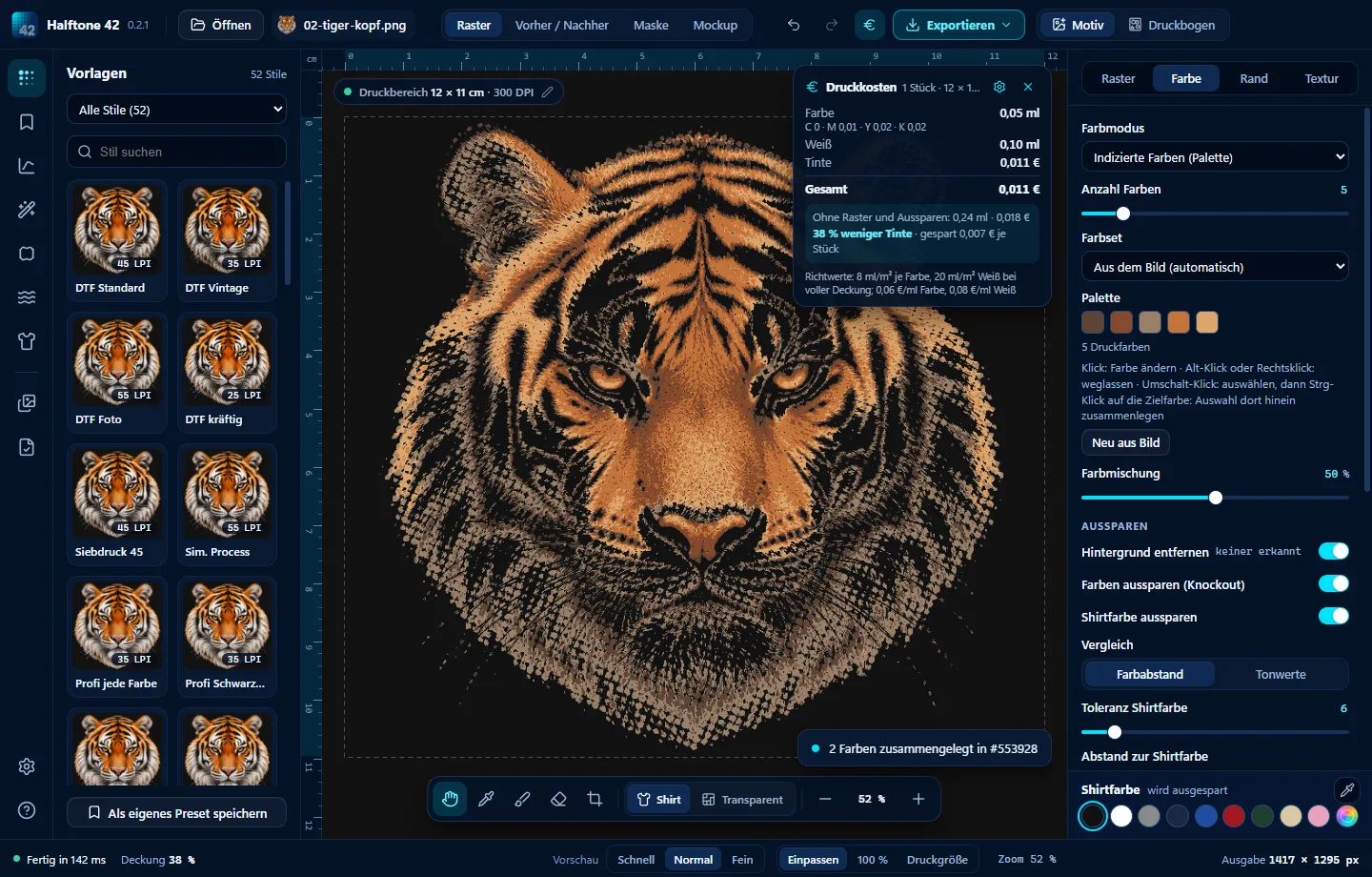
Halftone 42: retro tiger head with five print colours, presets previewed on the design on the left, print costs at the top showing 38 per cent less ink AI-generated design

The “Tried and Tested” group contains settings used in practice by DTF and screen printers: screen ruling, angle, minimum dot size and levels for every garment colour.

One dot is just a dot. Lots of dots make a tiger.

What Halftone 42 can do

the halftone screen

Halftone dots that hold up in print.

Dot screens in nine shapes, lines, circles, spirals, stochastic screens, error diffusion and patterns. Screen ruling in LPI and angles as used in professional printing. Set the minimum dot size so nothing falls off the DTF film, and compensate for dot gain in advance.
the garment colour

Knock out garment colour. Keep it soft.

Where the design matches the garment colour, nothing is printed. Use Colour distance or Levels (black point, midpoint, white point) with a soft transition to dots. Knock out more colours with the eyedropper and remove the background with one click.

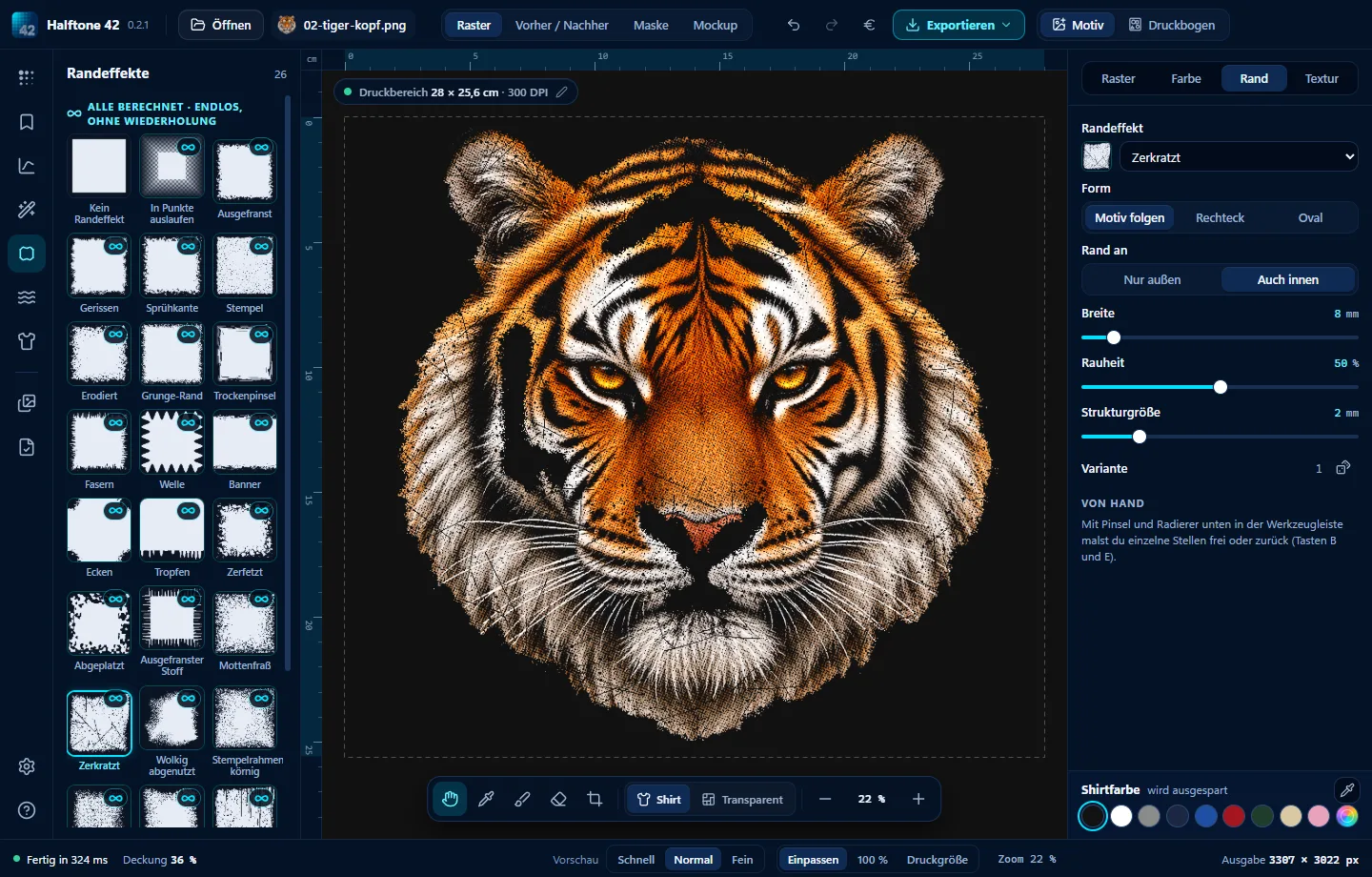
Halftone 42: edge effect previews and a tiger head with a scratched edge following the shape of the design AI-generated design
Vintage & Distressed

Edges and textures with that washed-out look.

26 edge effects – frayed, torn, stamped or fading into dots – follow the shape of your design. Add scratches, grunge, cracks and fabric textures. All generated, so nothing repeats.

the mockup

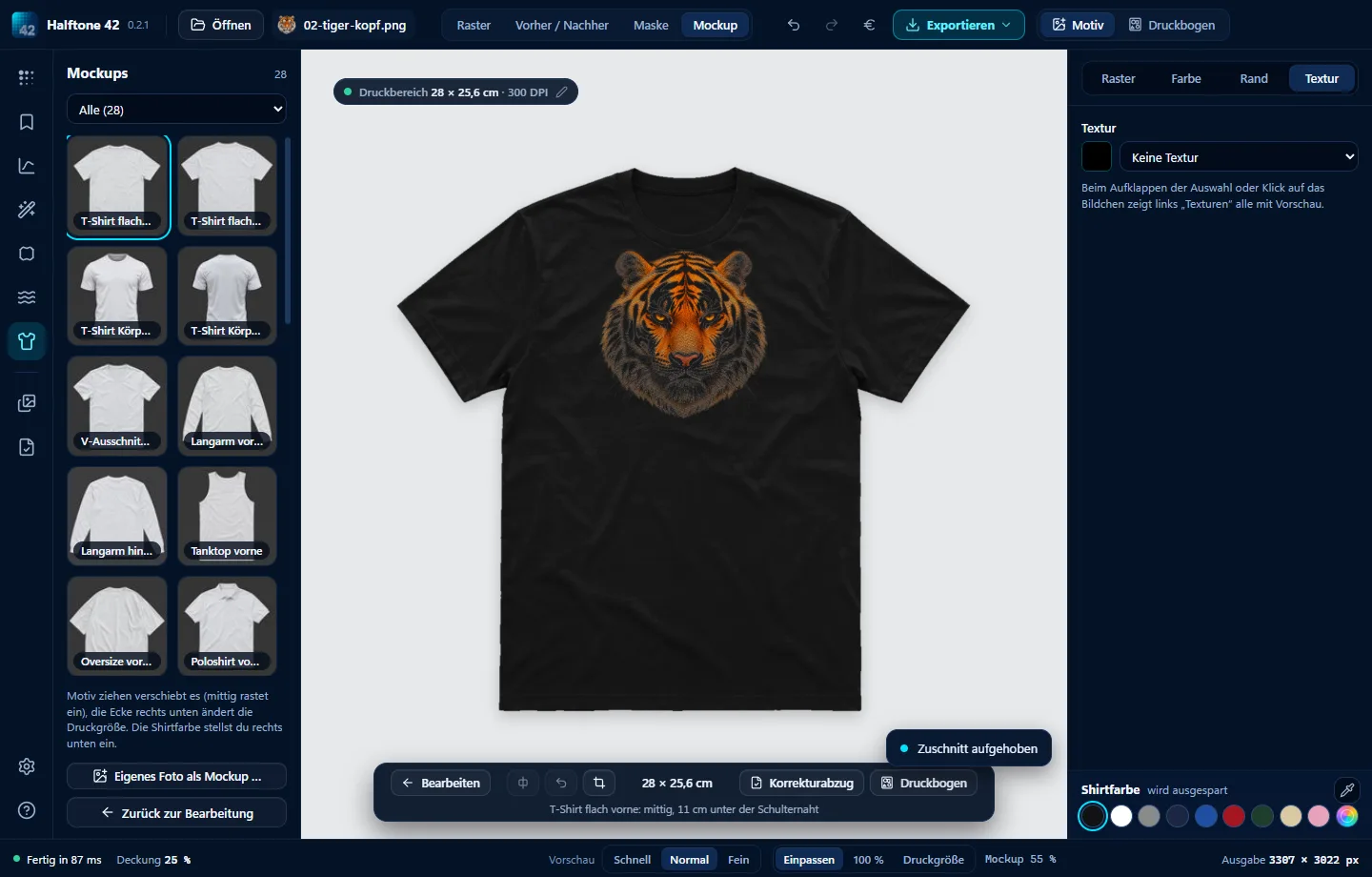
On the T-shirt. At actual size.

28 mockups, from T-shirts and hoodies to caps and bags. Drag the design, set its size in cm and its position from the shoulder seam – then “Print Size” shows the garment at 1:1 on screen. Turn it into a customer proof with one click.

Halftone 42: halftone tiger head on a black T-shirt, with print size 28 × 25.6 cm and position on the garment below AI-generated image

The gang sheet: more designs, less DTF film.

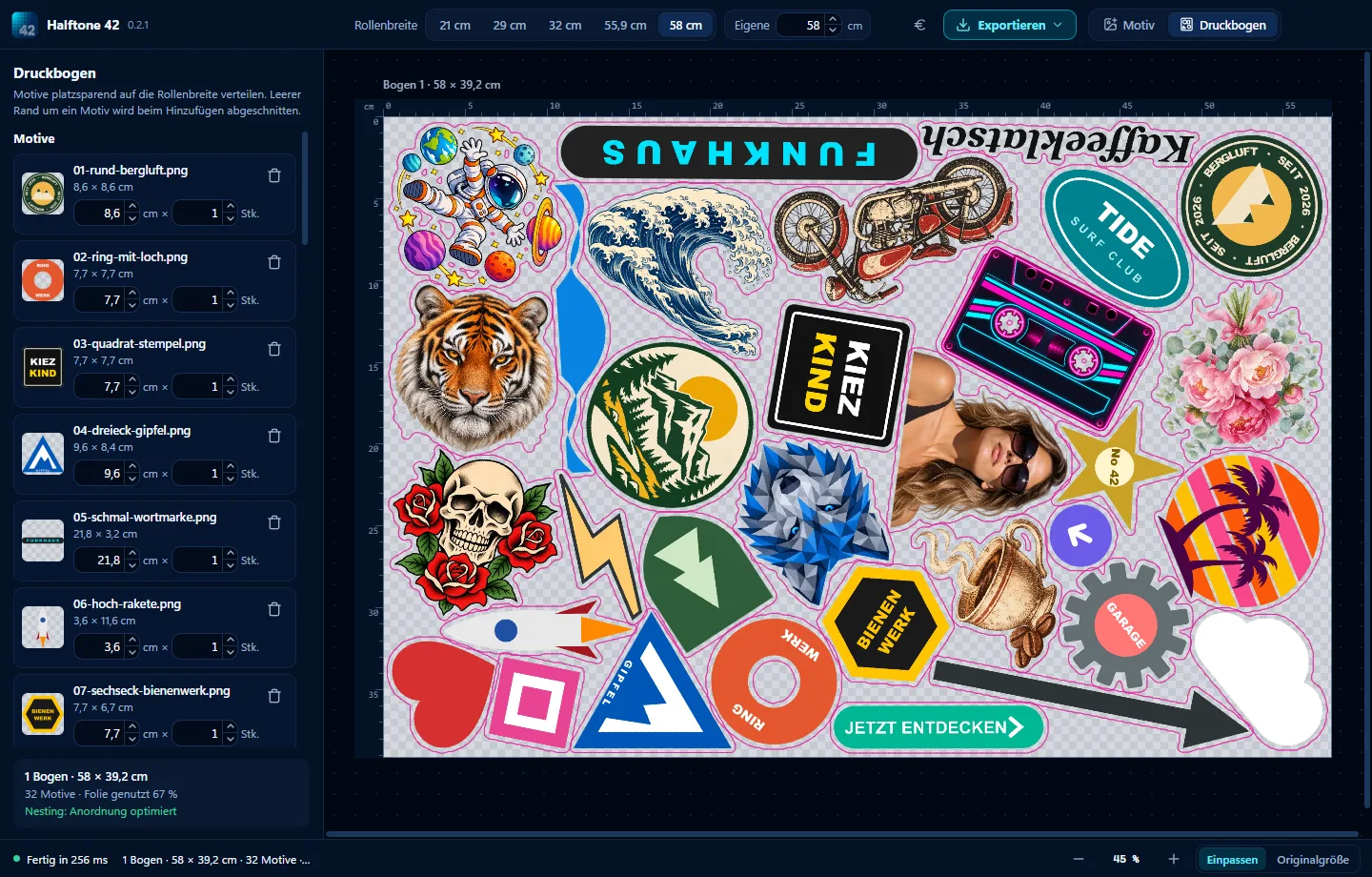
Halftone 42 gang sheet: 32 designs tightly nested on a 58 cm roll, length 39.2 cm, using 67 per cent of the DTF film Some designs AI-generated

Drag images and PDFs onto the roll width and enter quantities – nesting rotates the designs and fits them into the gaps. Export PNG or PDF at 300 DPI, optionally only as wide as the designs. The € button shows ink and costs per sheet.

Guides to halftones and DTF

DTF halftones: dots that stay on the filmScreen ruling, minimum dot size and white Choke for DTF.How it works → Screen printing halftones: screen ruling, angle and dot shapeScreen ruling, screen mesh, angles and fewer screens.How it works → DTF gang sheet builder: fit more designs on your filmMore designs packed onto one roll – less DTF film.How it works → Knock out garment colour: DTF knockout for black and every colourKnock out black, white or any garment colour.How it works → Vintage T-shirt effects: halftone, distressed and grungeCoarse dots, worn edges and washed-out textures.How it works → DTF printing costs: calculate the cost per T-shirtInk, white and DTF film in ml and euros per T-shirt.How it works →

One payment beats 42 subscriptions.

Buy once. Keep it.

Try free for 28 days, no sign-up. All updates of version 1 included.

No subscription.Pay once – done!

Try it for 28 days. Everything included.

No account, no credit card. Install, drag in an image, choose a style and export. Like it? Pay once, with no subscription.

↓ click your computer to start the download.

Windows Windows 11 and 10 Download
Mac with Apple silicon M1, M2, M3 … and newer Download
Mac with Intel older Macs Download

Which Mac? Apple menu → “About This Mac”. If “Chip” says Apple M…, choose Apple silicon. If it says “Processor … Intel”, choose Intel.

On first launch, Windows may say “Windows protected your PC”: click “More info”, then “Run anyway”. The Mac version is notarised by Apple and opens without a warning.