 Halftone 42
Screen printing halftones: screen ruling, angle and dot shape
For screen printing, every photo needs to be broken into dots, with one colour per screen. Halftone 42 screens your image at a ruling your screen mesh can hold, using professional print angles and dot shapes. Use the palette to reduce multicolour designs to just a few print colours.
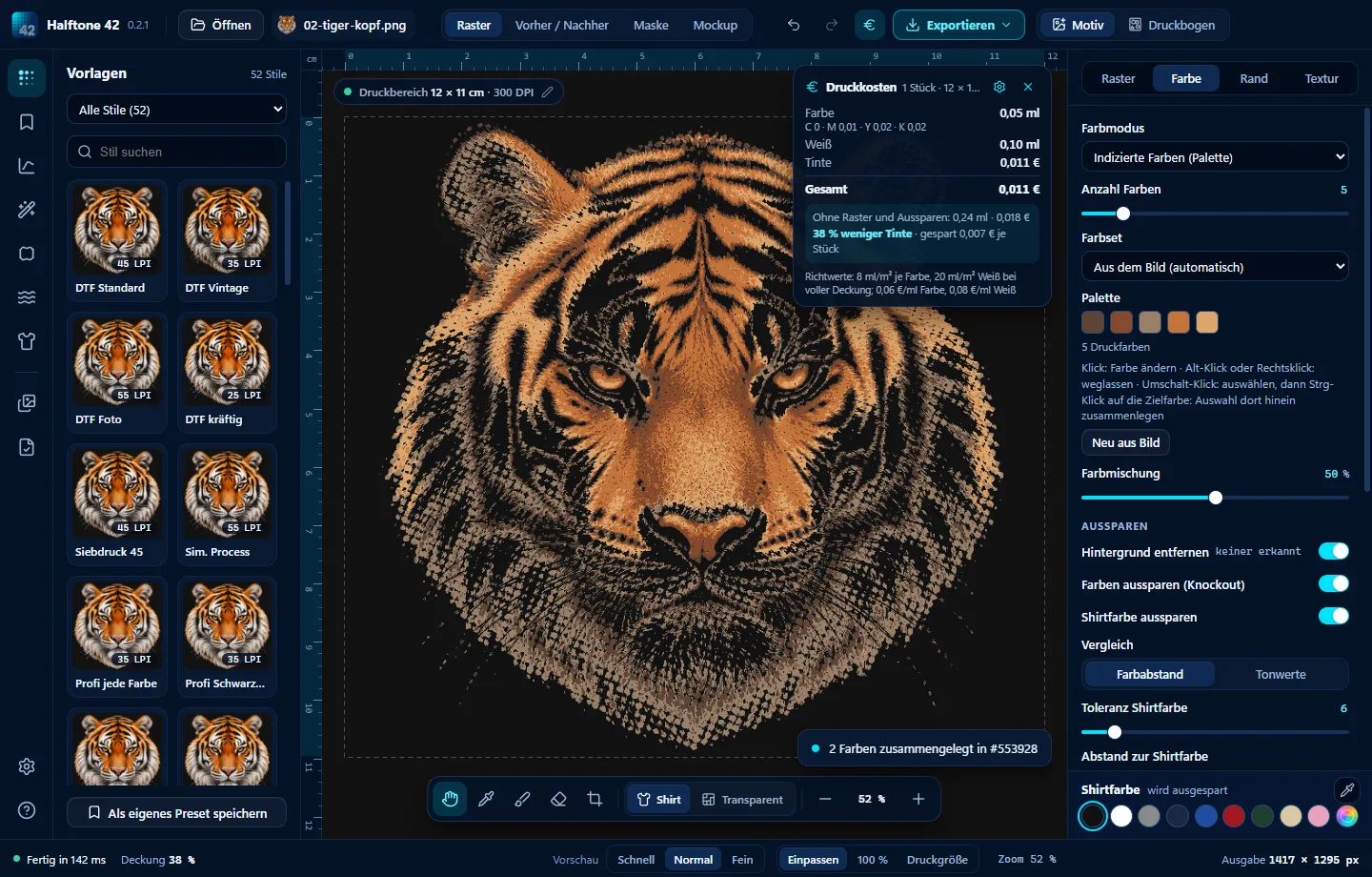

- 1 · “Screen printing 45” style45 LPI, elliptical, 22.5° – suitable for 200–230 mesh.
- 2 · Set the coloursSingle colour, Duotone or a palette with a few screen printing colours.
- 3 · Knock out garment colourWhere the garment supplies the colour, no screen is needed.
- 4 · OutputPNG or PDF at print size, screened and ready for film.
One screen, one colour, no drama.
Which screen ruling for which mesh?
Rule of thumb: the screen mesh count should be about four to five times the screen ruling in LPI. For the underbase (white underneath), the ruling can be about 10 LPI lower.
| Design | Screen ruling | Screen mesh |
|---|---|---|
| Graphics, vintage | 35–45 LPI | 160–200 |
| Simulated process | 55–60 LPI, elliptical | 230–305 |
| Index (stochastic screen) | 180–200 DPI square grain | 230–305 |
Merge colours to save screens
In the palette, Shift-click to select several colours, then Ctrl-click a target colour to merge them into it. Alt-click to omit colours you do not want to print. Turn a photo into a design needing just four or five screens.
Try Halftone 42
Free for 28 days, no sign-up, for Windows and Mac. Then buy once from €39, all updates of version 1 included.