 Halftone 42
Staying power!
DTF halftones: dots that stay on the film
A halftone turns gradients and photos into dots of a single colour. In DTF printing, this saves colour and white ink, making the print softer and more breathable. To keep dots in place after pressing and washing, screen ruling, minimum dot size and the RIP software’s white Choke all matter. Halftone 42 sets up the halftone for you.
Try free for 28 days for Windows and Mac · no account · no cloud
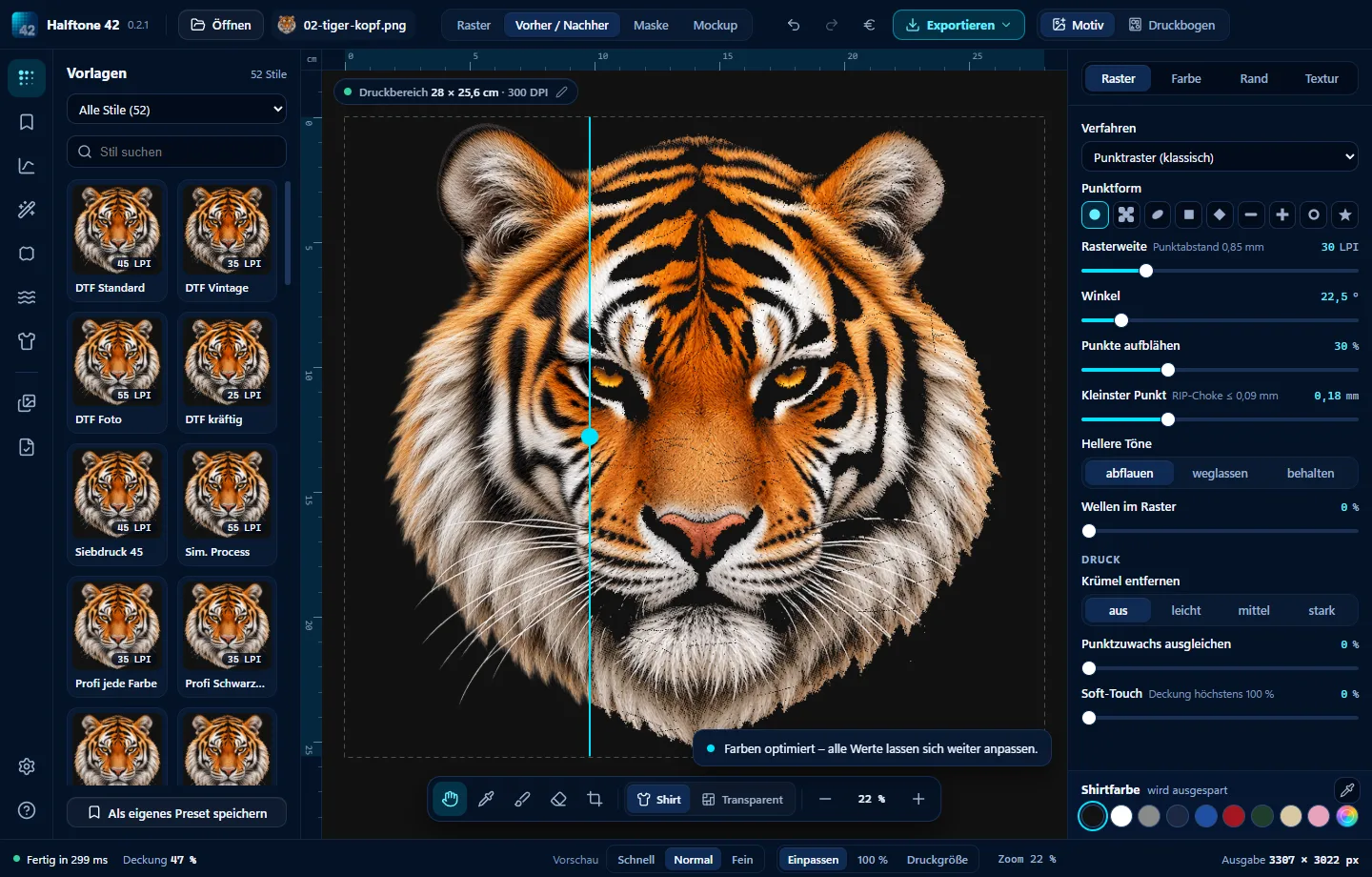

- 1 · Open an imageDrag your design into the window, preferably at a good resolution.
- 2 · “DTF Standard” style45 LPI, round dots, 22.5° – or “DTF Vintage” at 35 LPI.
- 3 · Print widthEnter it in cm. The screen ruling applies to the actual print.
- 4 · Export PNGTransparent, 300 DPI, sRGB, fully opaque pixels only.
Small dots. Big impression.
The right halftone settings for DTF
| Setting | Tried-and-tested value |
|---|---|
| Screen ruling | Colour designs 40–45 LPI, vintage 25–35 LPI, photos 55–65 LPI. |
| Dot shape | Round is the safest choice; elliptical gives smoother transitions. |
| Angle | 22.5° is the least noticeable. |
| Minimum dot size | Dots below about 8–10% hold poorly. Halftone 42 uses fewer dots in light areas rather than making them smaller. |
| White Choke in the RIP | Keep it small (about 1 pixel). A large Choke removes the white underbase from small dots. |
Why no semi-transparent pixels?
RIP software puts white beneath anything that is not fully transparent. Semi-transparent edges cause patchy white and pale halos. Halftone 42 therefore outputs only fully opaque or fully transparent pixels – the white sits precisely beneath each dot.
Try Halftone 42
Free for 28 days, no sign-up, for Windows and Mac. Then buy once from €39, all updates of version 1 included.
No subscription.Pay once – done!
More guides
Screen printing halftones: screen ruling, angle and dot shapeScreen ruling, screen mesh, angles and fewer screens.How it works →
DTF gang sheet builder: fit more designs on your filmMore designs packed onto one roll – less DTF film.How it works →
Knock out garment colour: DTF knockout for black and every colourKnock out black, white or any garment colour.How it works →
Vintage T-shirt effects: halftone, distressed and grungeCoarse dots, worn edges and washed-out textures.How it works →
DTF printing costs: calculate the cost per T-shirtInk, white and DTF film in ml and euros per T-shirt.How it works →